Free CRM Template (2026): Track Deals in Excel or Google Sheets
Track contacts, manage your pipeline, log every activity, and see your numbers on an auto-updating dashboard. Works in Excel and Google Sheets. Zero learning curve.
Join 500+ small business owners. Unsubscribe anytime.
What You Get
Auto-Updating Dashboard
Pipeline value, win rate, open deals, revenue totals, and a stage breakdown chart. All calculated from your live data. No manual updates needed.
Contact Database (500 Rows)
Name, company, email, phone, role, source, status, tags, and location. Dropdown menus keep your data clean. Color-coded by status.
Deal Pipeline Tracker
Track every deal from Lead to Won. Auto-calculated days open, weighted pipeline values, and visual data bars on deal amounts. Six default stages, fully customizable.
Activity Log (1,000 Rows)
Log calls, emails, meetings, and tasks. Link activities to contacts and deals. Pending follow-ups surface automatically on the dashboard.
Customizable Settings
Edit lead sources, deal stages, probabilities, and contact statuses from one place. Every dropdown across the workbook updates automatically.
Works Everywhere
Open it in Microsoft Excel, Google Sheets (import as .xlsx), or LibreOffice. No proprietary software required. No account to create.
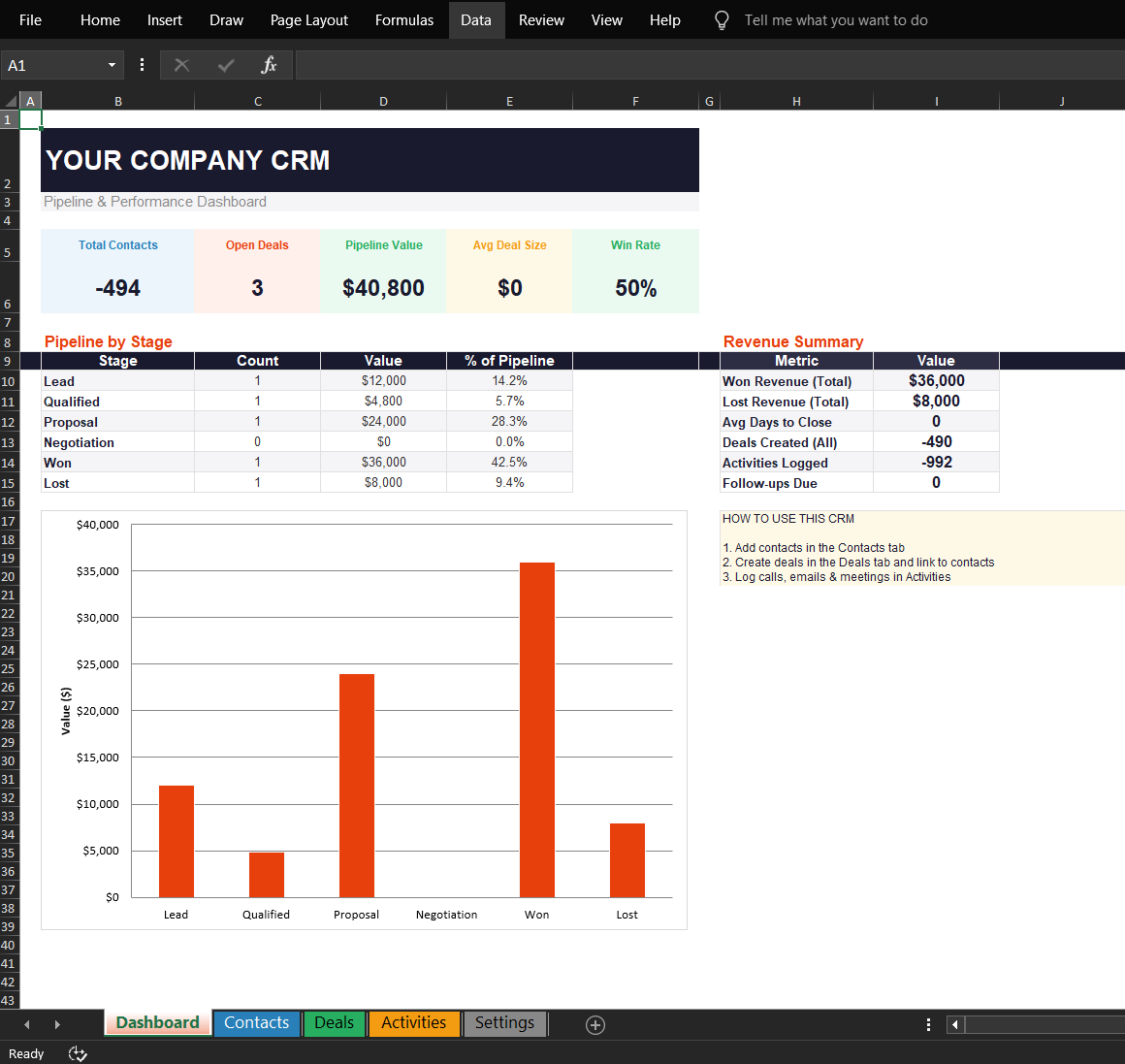
Dashboard tab: KPIs, pipeline by stage, and revenue summary update automatically

Contacts
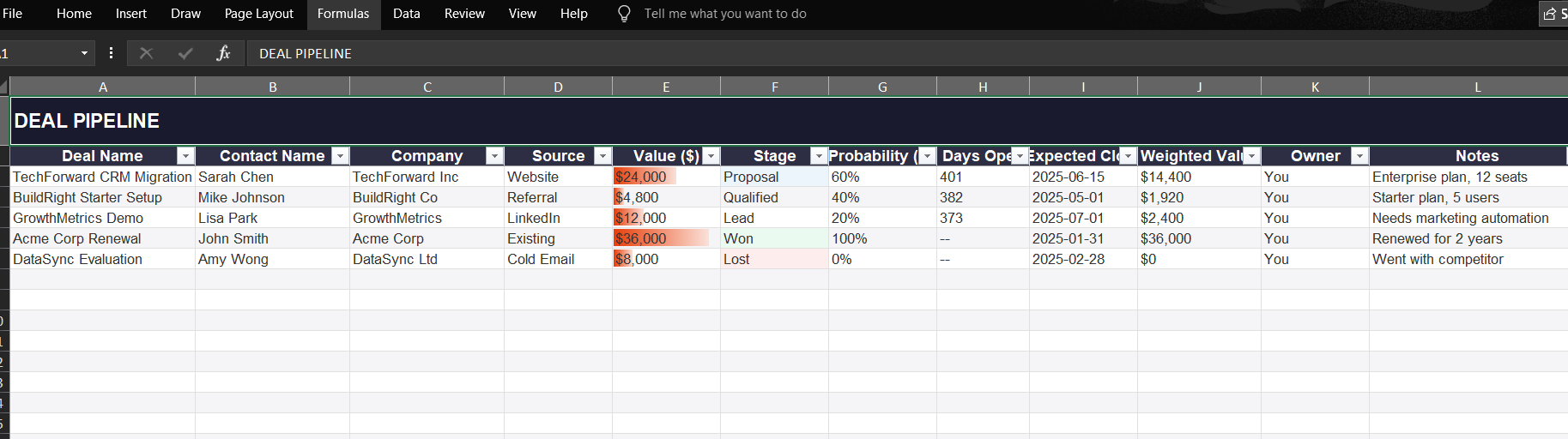
Deal Pipeline
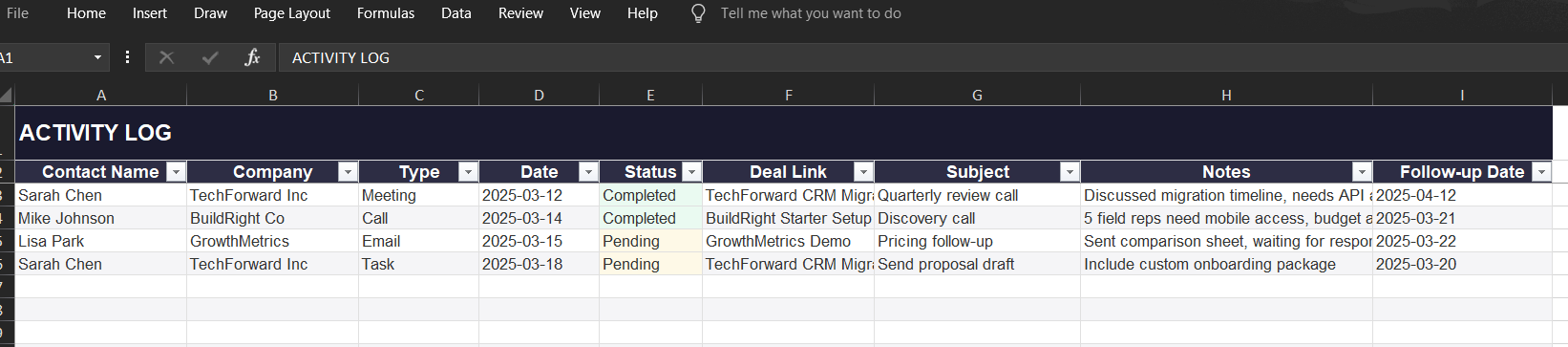
Activity Log
Built for Small Teams That Outgrew Sticky Notes
If you have fewer than 10 people and you are tracking contacts in your head, a Notes app, or a chaotic shared Google Sheet, this template replaces all of that with a system that actually tells you what is happening in your pipeline.
It is not a replacement for HubSpot or Pipedrive. If you are managing 50+ deals per month with a sales team of five, you need real CRM software. But if you are a solo founder, freelancer, agency owner, contractor, or small sales team running 5 to 30 active deals, this spreadsheet handles it without costing you $50 to $100 per month.
Use it until you outgrow it. When you do, we have a guide on the best CRM software for small businesses to help you pick the right paid tool.
Common Questions
Does it work in Google Sheets?
Yes. Open Google Sheets, go to File, then Import, and upload the .xlsx file. All formulas, dropdowns, and conditional formatting carry over. The dashboard chart may need a small adjustment in Sheets since Google handles chart imports slightly differently than Excel.
Is this actually free?
Completely free. No trial period, no feature lockout, no credit card. We run an affiliate CRM review site and we make money when you eventually upgrade to paid CRM software through our links. The template is genuinely useful on its own.
How many contacts and deals can it handle?
The Contacts sheet supports 500 rows and the Deals sheet supports 500 rows. The Activities sheet holds 1,000 entries. For most small teams, that is 6 to 12 months of data before you would need to archive older records or consider upgrading to a dedicated CRM.
Can I customize the deal stages?
Yes. The Settings tab lets you rename stages, add new ones, change default probabilities, customize lead sources, and edit contact statuses. Every dropdown across the workbook pulls from Settings, so your changes apply everywhere automatically.
When should I switch to real CRM software?
When you hit any of these: more than one person needs to update deals at the same time, you need email automation triggered by deal stages, you are managing 50+ active deals, or you need mobile access in the field. Our guide on the best CRM software helps you pick the right tool when that time comes.
Will I get spammed after downloading?
No. You will receive the download email and occasional CRM tips and reviews. Every email has a one-click unsubscribe link. We typically send one to two emails per week at most.
Stop Losing Track of Leads
Get the free CRM spreadsheet template and start organizing your pipeline today.
Download Free Template ↑